


Python Array क्या है? | Complete Guide for Beginners
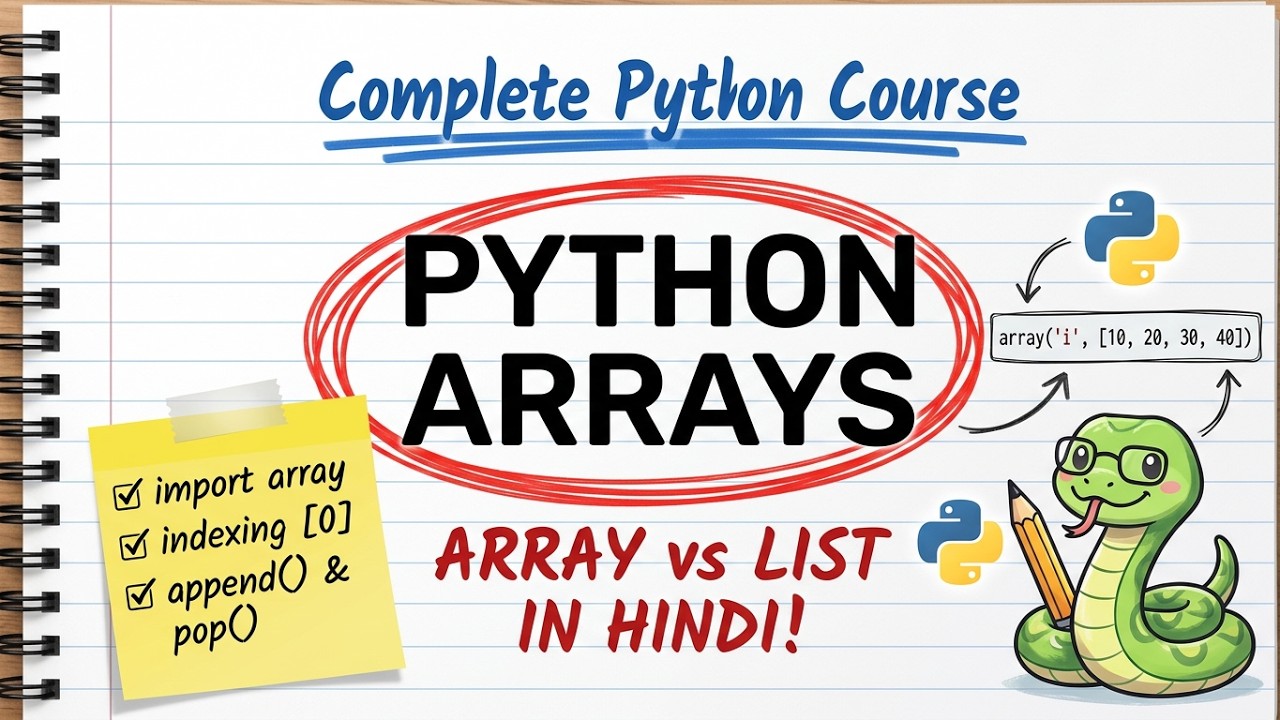
Python Array
Python में हमने List के बारे में पढ़ा, जिसमें अलग-अलग data types की values एक साथ रखी जा सकती हैं। लेकिन Python में एक और data structure है — Array — जो List जैसा ही दिखता है, मगर इसमें सिर्फ एक ही data type की values रखी जा सकती हैं।
अगर आपने अभी Python Lists Complete Guide in Hindi नहीं पढ़ा है, तो पहले वो article पढ़ना बहुत उपयोगी रहेगा, क्योंकि इस article में हम Array और List का लगातार comparison करेंगे। Examples खुद run करने के लिए हमारा Online Python Editor & Compiler use कर सकते हैं।
Python Array क्या है?
Array एक ऐसा data structure है जिसमें एक जैसी data type की कई values एक क्रम (order) में रखी जाती हैं।
सरल भाषा में — Array एक ऐसी List है जिसमें सिर्फ एक ही तरह का data रखा जा सकता है।
Output:
Python में array module
List, Tuple, Set और Dictionary की तरह Array Python का built-in data type नहीं है — इसे इस्तेमाल करने के लिए Python के array module की जरूरत पड़ती है।
array लिखकर इस्तेमाल करने की कोशिश करेंगे बिना import किए, तो Python NameError देगा।
from array import array
Array इस्तेमाल करने से पहले उसे array module से import करना जरूरी है।
यह line बताती है — array नाम के module से array नाम का function ले आओ, जिससे नया array बनाया जा सके।
Array Create करना
Output:
Type Code क्या है?
Type Code एक छोटा सा character होता है जो बताता है कि Array में किस तरह का data रखा जाएगा — जैसे integer, float, आदि।
| Type Code | Data Type |
|---|---|
'i' | Integer (Signed) |
'f' | Float |
'd' | Double (बड़े decimal numbers) |
'u' | Unicode Character |
Output:
Same Type के Elements
Array की सबसे बड़ी पहचान यही है कि उसमें सिर्फ एक जैसी data type की values होनी चाहिए — अलग-अलग types मिलाने पर Python error देता है।
Output:
चूंकि Type Code 'i' दिया गया था (integer), इसलिए इसमें string value देने पर error आया।
Array Indexing
Array में भी List की तरह हर element की एक position (index) होती है।
Positive और Negative Indexing
Output:
Output:
Negative indexing में counting आखिर से होती है — last element का index -1 होता है।
Array Value Update करना
Output:
append()
append() से Array के आखिर में एक नया element जोड़ा जाता है — बस ध्यान रहे कि वह value उसी data type की हो जो Array के Type Code से match करे।
Output:
insert()
insert() से किसी specific position पर element जोड़ा जा सकता है।
Output:
remove()
remove() से किसी दी गई value को Array से हटाया जाता है।
Output:
pop()
pop() से Array में से element हटाया जाता है — index न दिया जाए तो यह आखिरी element हटाता है, और हटाई गई value भी return करता है।
Output:
| Method | काम |
|---|---|
append(value) | आखिर में element जोड़ता है |
insert(index, value) | दी गई position पर element जोड़ता है |
remove(value) | दी गई value को हटाता है |
pop(index) | Element हटाकर उसकी value return करता है |
len()
Output:
in Operator
Output:
Practical Marks Example
Output:
यहाँ append(), insert(), remove(), len() और in — सारे एक साथ इस्तेमाल किए गए हैं।
Python List और Array का Basic Difference
| Feature | List | Array |
|---|---|---|
| Built-in? | हाँ, कुछ import की जरूरत नहीं | नहीं, array module चाहिए |
| Data Types | Mixed data types allowed | सिर्फ एक जैसी data type |
| Memory | ज्यादा memory लेती है | कम memory लेता है (same type होने से) |
| Use Case | General-purpose data रखने के लिए | बड़ी मात्रा में एक जैसी numeric values के लिए |
Common Beginner Mistakes
List में कोई भी mixed data types रखे जा सकते हैं, लेकिन Array में हमेशा एक जैसी data type की values ही रखनी होती हैं — यह भूलने से TypeError आता है।
Exercise ?
Python में Array इस्तेमाल करने के लिए किस module से import करना जरूरी है?
Coding Challenge और Final Revision
अब खुद अपने Online Python Editor में इन challenges को solve कीजिए:
- Integer type code
'i'के साथ अपने 5 favorite numbers की एक array बनाइए। - उस array में
append()से एक नया number जोड़िए। insert()से किसी position पर एक number जोड़िए।remove()से कोई एक number हटाइए।- Positive और negative indexing से पहला और आखिरी element print कीजिए।
len()औरinका इस्तेमाल करके array की length और किसी number की मौजूदगी check कीजिए।
Quick Revision
| Concept | Syntax / Example |
|---|---|
| Import | from array import array |
| Array बनाना | array('i', [1, 2, 3]) |
| Type Code | 'i' Integer, 'f' Float, 'd' Double |
| Positive Indexing | arr[0] → पहला element |
| Negative Indexing | arr[-1] → आखिरी element |
| append() / insert() / remove() / pop() | List जैसे ही काम करते हैं |
| len() / in | Length और membership check |
FAQ
Python में Array क्या है?
Array Python का एक data structure है जिसमें सिर्फ एक जैसी data type की values को एक क्रम में रखा जाता है, और इसे इस्तेमाल करने के लिए array module import करना पड़ता है।
Array और List में मुख्य फर्क क्या है?
List में अलग-अलग data types की values एक साथ रखी जा सकती हैं और यह built-in है, जबकि Array में सिर्फ एक जैसी data type की values रखी जा सकती हैं और इसके लिए module import करना पड़ता है।
Type Code क्या होता है?
Type Code एक character है जो बताता है कि Array में किस data type की values रखी जाएंगी — जैसे 'i' integer के लिए और 'f' float के लिए।
क्या Array में अलग-अलग data types रख सकते हैं?
नहीं। Array में सिर्फ एक जैसी data type की values रखी जा सकती हैं — अलग type की value डालने पर Python TypeError देता है।
Array कब इस्तेमाल करना चाहिए?
जब बड़ी मात्रा में एक जैसी (सिर्फ numeric) values रखनी हों और memory efficiency जरूरी हो, तब List की जगह Array इस्तेमाल करना बेहतर होता है।
Summary
Array = एक जैसी data type की values रखने वाला, memory-efficient container।
इस article में आपने सीखा कि Python Array क्या है, array module से इसे कैसे import करते हैं, Type Code क्या होता है, Array और List में क्या फर्क है, और append(), insert(), remove(), pop(), len(), in जैसे common operations कैसे इस्तेमाल होते हैं।
Array उन जगहों के लिए उपयोगी है जहाँ बड़ी मात्रा में एक जैसी numeric values को efficient तरीके से रखना हो। अब ऊपर दिया गया coding challenge खुद अपने Online Editor में solve करें।
कोई टिप्पणी नहीं:
एक टिप्पणी भेजें