
Seedha content par jao
🤖 Python Hindi Bot
Namaste! Main Python Hindi Bot hoon 🐍
Python ya AI se related kuch bhi type karke pucho, ya neeche se quick sawaal chuno.
WhatsApp

Stay Connected with PythonHindii

Join our WhatsApp Community to get the latest Python tutorials, coding tips, interview questions, project updates, and learning resources directly on your phone.

Join WhatsApp Community
⇧
Python Hindi Logo
Python in Hindi | Programming Education
Python programming tutorial in Hindi banner Python code learning illustration Hindi Python student coding illustration Python data code pattern background

Python Tutorial in HindiiLearn Python Programming for Free

Learn Python from Beginner to Advanced in simple Hindi.

print("Namaste Python!")
# Variable banana
naam = "Ankit"
umar = 25
 
for i in range(3):
  print("Sikho!")
 
# Output:
Sikho! Sikho! Sikho!

Why Students Learn Here

📚

Structured Tutorials

Beginner se Advanced tak step-by-step organized lessons.

💻

Practical Code

Real examples aur hands-on code jo actually samajh aaye.

🧠

Python + AI Path

Ek clear roadmap jo Python se AI tak le jaata hai.

🚀

Projects & Career

Portfolio-ready projects aur interview preparation.

Ye Kaise Kaam Karta Hai

Hindi mein Python, AI aur Data Skills seekhne ka sabse simple tareeka.

📘

Seekhein

Beginner se Advanced tak, best curated tutorials aur guides Hindi mein.

💻

Practice Karein

Real code examples aur mini-projects ke through hands-on practice karein.

💬

Judein

WhatsApp community se judkar apne doubts clear karein, akele nahi seekhenge.

Python to AI Learning Roadmap

Step-by-step learning path from Python basics to AI, Data Science and career-ready projects.

1
🐍

Python Basics

Introduction, Variables, Data Types, Operators, Input & Output, Conditions, Loops, Functions

Start Python →
2
💻

Python Intermediate

Lists, Tuples, Sets, Dictionaries, Strings, Functions, Modules, File Handling, Exception Handling

Continue Python →
3
⚙️

Advanced Python

OOP, Iterators, Generators, Decorators, Regular Expressions, APIs, Automation, Virtual Environments

Learn Advanced Python →
4
🗄️

SQL & Databases

SQL Basics, MySQL, SELECT, INSERT, UPDATE, DELETE, JOIN, GROUP BY, Database Projects

Learn SQL →
5
📊

Data Analytics

NumPy, Pandas, Data Cleaning, Data Visualization, Matplotlib, Exploratory Data Analysis

Learn Data Analytics →
6
🤖

Machine Learning

ML Basics, Supervised & Unsupervised Learning, Regression, Classification, Model Evaluation, Scikit-learn

Learn Machine Learning →
7
🧠

Artificial Intelligence

AI Fundamentals, Generative AI, AI Tools, Prompt Engineering, LLM Concepts, AI Automation

Explore AI →
8
🚀

Projects & Career

Python Projects, AI Projects, Data Projects, Portfolio, GitHub, Interview Preparation, Career Roadmap

Build Your Career →

Python Dictionary in Hindi | Python Dictionary क्या है? | Dictionary Tutorial for Beginners
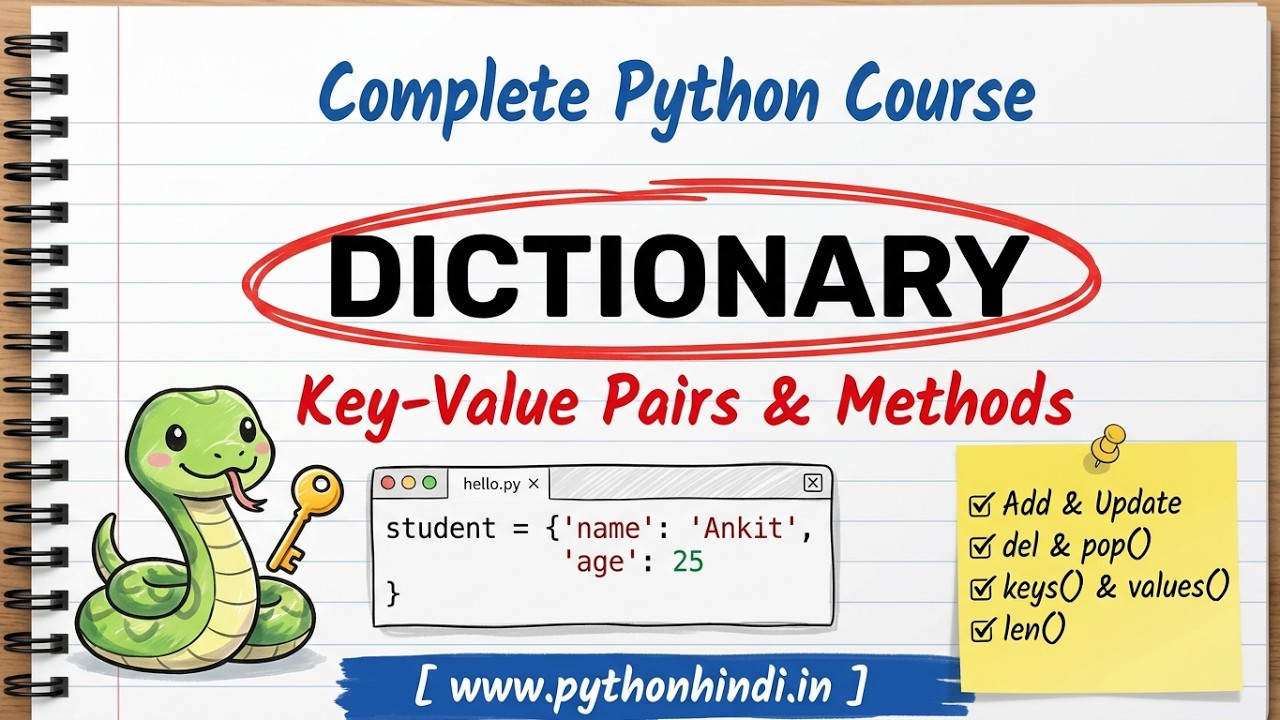
Python Dictionary in Hindi - Complete Tutorial for Beginners

Python Dictionary

अब तक जो List और Tuple हमने देखे, उनमें हर value का पता उसकी position (index) से चलता था। लेकिन कई बार हमें data को नाम के आधार पर रखना होता है — जैसे किसी student का नाम, उम्र, और शहर। इसके लिए Python में Dictionary इस्तेमाल होती है।

Dictionary Python का एक ऐसा data structure है जो data को key-value pairs में स्टोर करता है। अगर आपने अभी List या Tuple नहीं पढ़ा है, तो पहले Python Strings in Hindi पढ़ना उपयोगी रहेगा। Examples खुद run करने के लिए हमारा Online Python Editor & Compiler use कर सकते हैं।

🎥 Video में पूरा Topic समझें

Python Dictionary क्या है?

Dictionary Python का एक data structure है, जिसमें data को key और value के जोड़े (pairs) में रखा जाता है। इसे { } curly brackets में लिखा जाता है।

सरल भाषा में — Dictionary एक ऐसा container है जहाँ हर value का अपना एक नाम (key) होता है, index नहीं।
Example
student = {"name": "Ankit", "age": 25, "city": "Lucknow"} print(student)

Output:

{'name': 'Ankit', 'age': 25, 'city': 'Lucknow'}
Try it Yourself »

Key और Value क्या होते हैं?

Dictionary के हर element में दो हिस्से होते हैं — Key और Value।

{ "name" : "Ankit" } ↑ ↑ Key Value
Termमतलब
Keyवह नाम जिससे value को पहचाना जाता है — unique होना चाहिए
ValueKey के साथ जुड़ी हुई actual data
Example
student = {"name": "Ankit", "age": 25} print(student["name"]) # Key "name" की Value

Output:

Ankit
Try it Yourself »

Dictionary Create करना

Dictionary बनाने के लिए हर key और उसकी value को colon : से जोड़कर, comma से अलग करके { } के अंदर लिखा जाता है।

Syntax
dict_name = {"key1": value1, "key2": value2}
Example
person = {"name": "Rahul", "age": 22} print(person)

Output:

{'name': 'Rahul', 'age': 22}
Try it Yourself »

Multiple Key-Value Pairs

Example
student = { "name": "Ankit", "age": 25, "city": "Lucknow", "course": "Python" } print(student)

Output:

{'name': 'Ankit', 'age': 25, 'city': 'Lucknow', 'course': 'Python'}
Try it Yourself »

Different Data Types की Values Store करना

Dictionary की values अलग-अलग data types की हो सकती हैं — string, integer, boolean, list, कुछ भी।

Example
student = { "name": "Ankit", "age": 25, "is_active": True, "marks": [85, 90, 78] } print(student)

Output:

{'name': 'Ankit', 'age': 25, 'is_active': True, 'marks': [85, 90, 78]}
Try it Yourself »

Dictionary से Value Access करना

Value को access करने के लिए उसकी key को square brackets [ ] में लिखा जाता है — index की जगह key इस्तेमाल होती है।

Example
student = {"name": "Ankit", "age": 25, "city": "Lucknow"} print(student["name"]) print(student["city"])

Output:

Ankit Lucknow
Try it Yourself »
Note: अगर दी गई key dictionary में मौजूद ही न हो, तो Python KeyError देगा।

नई Key-Value Pair Add करना

नई key को directly assign करके dictionary में जोड़ा जा सकता है।

Example
student = {"name": "Ankit", "age": 25} student["city"] = "Lucknow" print(student)

Output:

{'name': 'Ankit', 'age': 25, 'city': 'Lucknow'}

चूंकि "city" key पहले मौजूद नहीं थी, इसलिए यह नई key-value pair की तरह जुड़ गई।

Try it Yourself »

Existing Value Update करना

अगर वही key दोबारा assign की जाए जो पहले से मौजूद है, तो उसकी value update हो जाती है।

Example
student = {"name": "Ankit", "age": 25} student["age"] = 26 print(student)

Output:

{'name': 'Ankit', 'age': 26}
Try it Yourself »

del से Data Delete करना

del keyword से dictionary की कोई key-value pair पूरी तरह हटाई जा सकती है।

Example
student = {"name": "Ankit", "age": 25, "city": "Lucknow"} del student["city"] print(student)

Output:

{'name': 'Ankit', 'age': 25}
Try it Yourself »

pop() का Basic Use

pop() भी किसी key-value pair को हटाता है, लेकिन साथ में उसकी value भी return करता है।

Example
student = {"name": "Ankit", "age": 25, "city": "Lucknow"} removed_value = student.pop("age") print(student) print("Removed:", removed_value)

Output:

{'name': 'Ankit', 'city': 'Lucknow'} Removed: 25
Try it Yourself »
Methodकाम
dict[key] = valueनई key जोड़ता है या existing की value update करता है
del dict[key]दी गई key की pair हटाता है
dict.pop(key)Key हटाता है और उसकी value return करता है

len() से Dictionary की Length निकालना

len() से यह पता चलता है कि dictionary में कुल कितनी key-value pairs हैं।

Example
student = {"name": "Ankit", "age": 25, "city": "Lucknow"} print(len(student))

Output:

3
Try it Yourself »

in से Key Check करना

in keyword से यह check किया जा सकता है कि कोई key dictionary में मौजूद है या नहीं।

Example
student = {"name": "Ankit", "age": 25} print("name" in student) print("city" in student)

Output:

True False

in keys को check करता है, values को नहीं।

Try it Yourself »

keys() Method

keys() dictionary की सारी keys की एक list जैसी sequence return करता है।

Example
student = {"name": "Ankit", "age": 25, "city": "Lucknow"} print(student.keys())

Output:

dict_keys(['name', 'age', 'city'])
Try it Yourself »

values() Method

values() dictionary की सारी values return करता है।

Example
student = {"name": "Ankit", "age": 25, "city": "Lucknow"} print(student.values())

Output:

dict_values(['Ankit', 25, 'Lucknow'])
Try it Yourself »

items() Method

items() हर key-value pair को साथ में (tuple की तरह) return करता है — यह loops में बहुत उपयोगी होता है।

Example
student = {"name": "Ankit", "age": 25, "city": "Lucknow"} print(student.items()) for key, value in student.items(): print(key, ":", value)

Output:

dict_items([('name', 'Ankit'), ('age', 25), ('city', 'Lucknow')]) name : Ankit age : 25 city : Lucknow
Try it Yourself »
MethodReturn करता है
keys()सारी keys
values()सारी values
items()सारे key-value pairs

Practical Student Information Example

Example
student = { "name": "Ankit", "age": 25, "course": "Python" } # नई key जोड़ना student["city"] = "Lucknow" # Existing value update करना student["age"] = 26 # एक value हटाना del student["course"] print("Final Data:", student) print("Total Fields:", len(student)) print("Has 'name' key:", "name" in student) for key, value in student.items(): print(key, "→", value)

Output:

Final Data: {'name': 'Ankit', 'age': 26, 'city': 'Lucknow'} Total Fields: 3 Has 'name' key: True name → Ankit age → 26 city → Lucknow

यहाँ नई key जोड़ना, value update करना, key हटाना, और items() से loop चलाना — सब एक साथ इस्तेमाल किए गए हैं।

Try it Yourself »

Common Beginner Mistakes

❌ Missing Key को Access करने की कोशिश
student = {"name": "Ankit"} print(student["age"]) # KeyError
✅ सही तरीका — पहले check करें
if "age" in student: print(student["age"]) else: print("Key मौजूद नहीं है")
❌ Dictionary में Index का इस्तेमाल करना
student = {"name": "Ankit", "age": 25} print(student[0]) # KeyError, index नहीं चलेगा

Dictionary में values key से access होती हैं, position (index) से नहीं — यह List और Dictionary में सबसे बड़ा फर्क है।

✅ सही तरीका
print(student["name"])
❌ del और pop() को Confuse करना

del सिर्फ key-value pair को हटाता है, कुछ return नहीं करता। जबकि pop() हटाकर उसकी value भी return करता है।

❌ Duplicate Keys रखने की कोशिश
student = {"name": "Ankit", "name": "Rahul"} print(student)

Output:

{'name': 'Rahul'}

अगर same key दो बार दी जाए, तो सिर्फ आखिरी वाली value रह जाती है — pehli value overwrite हो जाती है।

Exercise ?

Dictionary में किसी value को access करने के लिए क्या इस्तेमाल होता है?

Index Number
Key
Position

Coding Challenge और Final Revision

अब खुद अपने Online Python Editor में इन challenges को solve कीजिए:

  1. अपनी पसंदीदा 3 movies के नाम और उनके release year की एक dictionary बनाइए।
  2. उस dictionary में एक नई movie जोड़िए।
  3. किसी movie का year update कीजिए।
  4. del से कोई एक movie हटाइए।
  5. keys(), values() और items() — तीनों को अलग-अलग print करके देखिए।
  6. items() के साथ loop चलाकर हर movie और उसका year एक साथ print कीजिए।

Quick Revision

ConceptSyntax / Example
Dictionary बनाना{"key": "value"}
Value Accessstudent["name"]
नई Key जोड़ना / Update करनाstudent["city"] = "Lucknow"
Deletedel student["city"]
pop()हटाकर value return करता है
len()Key-value pairs की गिनती
inKey check करता है
keys() / values() / items()Keys / Values / दोनों साथ में return करते हैं

FAQ

Python में Dictionary क्या है?

Dictionary Python का एक data structure है जो data को key-value pairs में स्टोर करता है, जहाँ हर value को उसकी unique key से access किया जाता है।

Dictionary और List में मुख्य फर्क क्या है?

List में values को index (position) से access किया जाता है, जबकि Dictionary में values को key (नाम) से access किया जाता है।

del और pop() में क्या फर्क है?

del सिर्फ key-value pair को हटाता है और कुछ return नहीं करता, जबकि pop() उसे हटाकर उसकी value भी return करता है।

क्या Dictionary में एक जैसी दो keys रखी जा सकती हैं?

नहीं। अगर same key दो बार दी जाए, तो सिर्फ आखिरी value ही रहती है — पहली वाली overwrite हो जाती है। Keys हमेशा unique होनी चाहिए।

keys(), values() और items() में क्या फर्क है?

keys() सारी keys return करता है, values() सारी values return करता है, और items() हर key-value pair को साथ में return करता है — जो loop चलाने के लिए सबसे उपयोगी है।

Summary

Dictionary = data को नाम (key) के आधार पर रखने वाला container।

इस article में आपने सीखा कि Python Dictionary क्या है, key और value का क्या मतलब है, dictionary कैसे बनाते हैं, values को access, add, update और delete कैसे करते हैं, और len(), in, keys(), values(), items() जैसे common operations कैसे इस्तेमाल होते हैं।

Dictionary उन जगहों के लिए बहुत उपयोगी है जहाँ data को नाम के आधार पर organize करना हो — जैसे किसी student या product की पूरी जानकारी। अब ऊपर दिया गया coding challenge खुद अपने Online Editor में solve करें।

Related Articles

🧑‍💻 Python Coding Lab Python code likho, run karo aur practice karo — directly browser mein.